Visuals
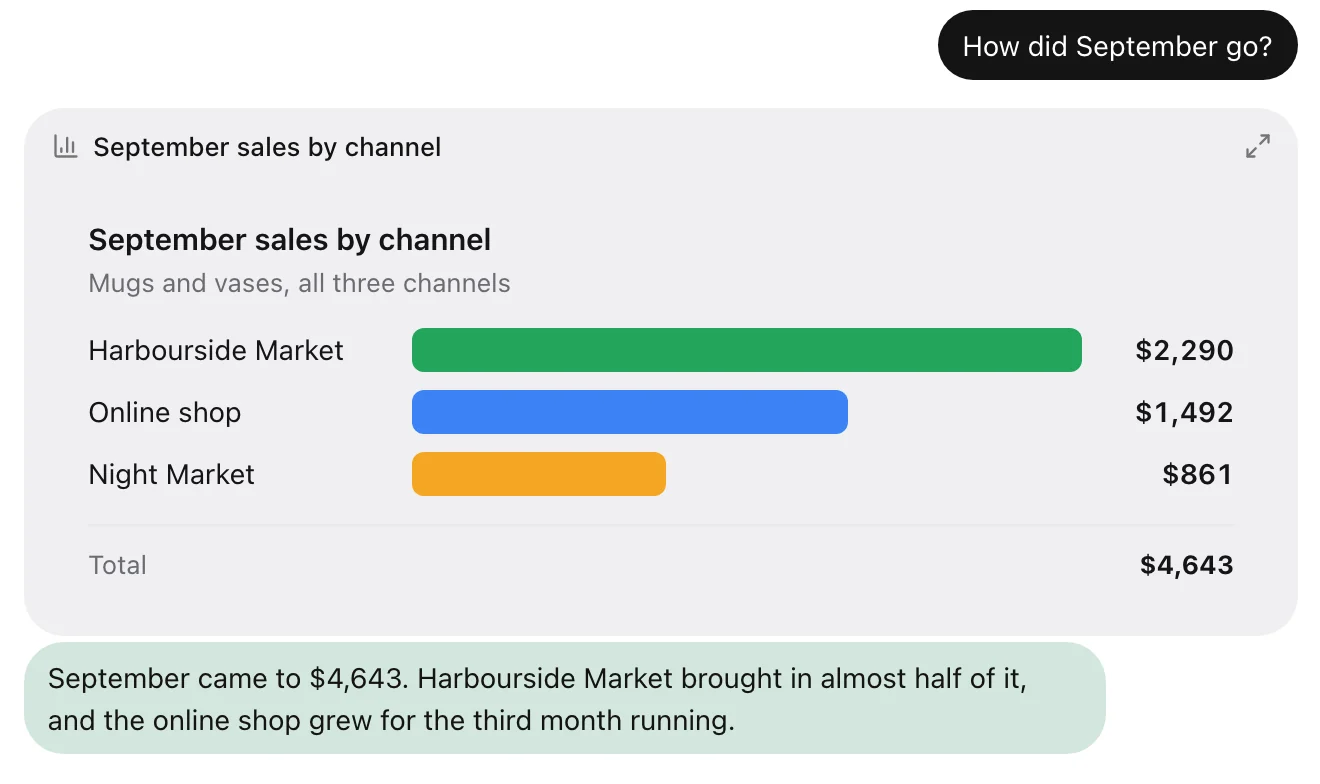
When a picture says more than prose, a bot can show a visual in its chat: a chart, table, diagram, timeline, or mockup, drawn as one small web page. It appears in the bot’s bubble above its reply, under a title, and stays live, so you can hover over a point, switch a tab, or scroll a table.
Ask for one
Bots decide on their own when a visual helps, such as a table of totals or a timeline of a project. You can also ask: “Show September’s sales by channel as a bar chart” or “Sketch the signup screen as a mockup.” The bot draws the visual first, then replies under it with only what the visual doesn’t show.
Visuals are part of every bot’s own tools; there is nothing to turn on. They show only in a bot’s chat with you. In rooms, in private conversations between bots, and in work that runs on its own, such as scheduled jobs, the bot describes things in words instead.
Expand it beside the chat
In the web and desktop apps, choose Expand on a visual to open it in the side panel as a tab, like a browser’s. Each visual opens once; open several to compare them, and close tabs one by one. A tab keeps its state while you switch between them. The tabs close when you leave the chat. The panel is wider for visuals and can be resized.
On the phone, a visual shows as a card in the chat; tap Open to see it on its own.
What a visual can do
A visual follows your light or dark appearance as it changes. It is about as wide as the chat column and grows with its content, up to 2,000 pixels tall.
Each visual runs in a sandboxed frame. It can run scripts and load script and style libraries from a few public CDNs (jsDelivr, unpkg, cdnjs, and esm.sh) and fonts from Google Fonts, but it cannot fetch anything else, open other pages in its frame, or reach your daemon. Its data is written into the page, and images are embedded in it. A link you click in a visual opens in your browser. A link the page tries to open on its own waits for you to confirm it, and on the phone every link asks first.
A visual is saved with the chat, so it is still there after a reload, on every app you use. A page can be up to 512 KB.